
📑 Index: Audit Index & Section Navigation
12 research sectionsWindows 10 Change Hardware IDs: What Actually Happens & Can You Edit It?
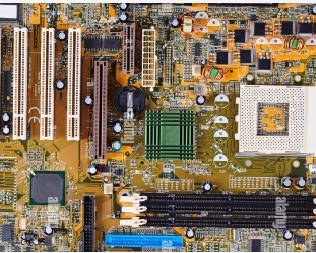
No, you cannot manually edit or change your Hardware ID (HWID) in Windows 10. Windows does not store the HWID as an editable registry value or text file. Instead, the Software Licensing Service (SLS) cryptographically computes a 128-bit hardware hash based on physical component serial numbers (motherboard SMBIOS UUID, CPU microcode, system drive serial, and MAC address).
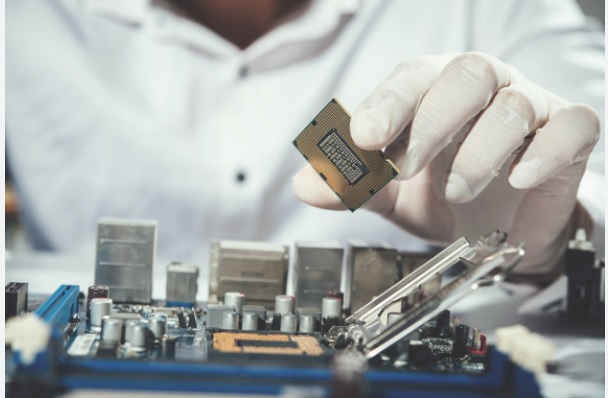
When hardware changes (like replacing a motherboard), Windows automatically recalculates a new Hardware ID. If the point delta exceeds Microsoft's tolerance threshold, Windows deactivates with: "The Software Licensing Service reported that the hardware ID binding is beyond level of tolerance." You do not need to "change" the ID back; you must re-bind your digital entitlement via Settings → System → Activation → Troubleshoot.
Scope: Consumer Windows HWID binding, digital license reactivation after hardware upgrades (Windows 10 and Windows 11). Error code fixes → Error Database (0x803FA071, 0x803F8001). Channel differences → OEM vs. Retail. Enterprise MAK/KMS keys → Volume Licensing Audit.
Searches for windows 10 change hardware ids or why did my hardware id change usually originate when a system is rebuilt or upgraded. In Windows 10 and 11, the cryptographic logic follows three distinct phases:
- Initial registration: Activating Windows binds a digital license to your motherboard and CPU hardware profile (and links to your Microsoft Account).
- Hardware hash shift: Installing a new motherboard generates a drastically altered HWID hash.
- Tolerance trigger: When the recalculated hash exceeds Microsoft’s internal tolerance score, local activation revokes until re-authenticated via account transfer.
💻 How to Inspect Your Windows 10 Hardware ID Components
You can view the exact hardware serials that form your system's cryptographic HWID by running these commands in Command Prompt (CMD) as Administrator:
wmic baseboard get serialnumber
slmgr.vbs /dlv
A “failed” product key after upgrade is almost always a rebinding state, not proof that the key itself has been blacklisted. Verifying whether you own an OEM or Retail license determines your next step.
The Root Cause: How Microsoft Fingerprints Your PC
This is not magic; it is deterministic cryptographic hashing and entitlement verification. Understanding this pipeline helps you diagnose Windows activation after a motherboard upgrade without purchasing unnecessary replacement licenses.
HWID (Hardware ID) Architecture
Windows constructs a unique system fingerprint combining serial numbers, firmware IDs, and hardware signatures from primary subsystems: motherboard BIOS/UEFI, CPU microcode, system drive serial, and MAC addresses. That cryptographic composite represents your Hardware ID. Peripheral additions or swap-outs (sound cards, webcams) contribute negligible weight. Swapping the baseboard changes the primary anchor of the hash, signaling Microsoft’s servers that this is an unverified PC.
Digital License vs. Product Key
Following initial online activation, Windows shifts from validating the 25-character key to maintaining a Digital Entitlement (Digital License) stored in Microsoft’s cloud licensing database. Re-entering your original product key after replacing hardware frequently errors because Microsoft’s servers see that key as already consumed by the old HWID profile.
The Windows 7/8 Key Cutoff Crisis: Why Upgraded Licenses Refuse to Rebind
Between July 2015 and September 2023, Microsoft permitted users to activate clean installations of Windows 10 and Windows 11 using genuine Windows 7 and Windows 8/8.1 product keys via a server-side entitlement loophole. Through official notices on the Microsoft Device Partner Center, Microsoft permanently terminated this path. Activation servers now unconditionally reject legacy 7/8 product keys and revoke license migration on hardware profile shifts.
This policy change is the single largest contributor to the current HWID reactivation crisis. Millions of long-time Windows users who upgraded their computers without purchasing a fresh operating system license enjoyed fully activated status for years. However, when a motherboard is swapped today, the following chain reaction occurs:
The Software Licensing Service detects that the digital license was originally generated from a Windows 7 or 8.1 upgrade ticket. Microsoft's activation backend flags the license as non-transferable to modern UEFI hardware hashes, returning error 0x803FA067 or 0xC004C003.
Users who still possess their physical Windows 7 COA sticker or retail DVD key cannot type it into Windows 10/11 Settings. Microsoft's Online Key Management Service (KMS/SLS) returns: “We can't activate Windows on this device because you don't have a valid digital license or product key.”
Even when previously bound to a personal Microsoft account, selecting “I changed hardware on this device recently” will display: “Unable to activate Windows. We can't find any devices introduced to your Microsoft account that can be used for reactivating the device.”
If your system deactivation originated from a legacy Windows 7 or 8.1 upgrade path, no amount of troubleshooting or DISM/SFC commands will restore activation. The only legitimate recovery path is provisioning a dedicated Windows 10/11 Retail digital entitlement.
“Hardware ID Binding Is Beyond Level of Tolerance”
Quick Answer (Definition & Cause)
“Hardware ID binding is beyond level of tolerance” means Windows detected that core hardware components (primarily the motherboard) were replaced. The operating system’s cryptographic hardware hash no longer matches the digital entitlement registered on Microsoft activation servers, requiring license reassignment through the Activation Troubleshooter rather than entering a new key.
This condition (frequently triggering error codes 0x803FA071, 0x803F8001, or 0xC004C003) indicates that the cumulative point delta between your former and present system hardware hash exceeded Microsoft’s internal tolerance score.
| Error Code | SLS Error Description | Direct Root Cause | Immediate Resolution |
|---|---|---|---|
| 0x803FA071 | Hardware ID binding is beyond level of tolerance | Motherboard / CPU hardware hash mismatch | Settings → Activation → Troubleshoot → "I changed hardware" |
| 0xC004F035 | Software Licensing Service: BIOS missing required license | BIOS flash altered ACPI/SMBIOS table or cleared TPM 2.0 | Re-enable fTPM in UEFI / Run Troubleshooter or "slui 4" |
| 0x803FA067 | Cannot activate with legacy product key | Windows 7/8 key rejected after Microsoft 2023 cutoff | Non-recoverable; requires genuine Windows 10/11 Retail key |
| 0xC004F211 | Hardware changed with edition discrepancy | Clean install edition (Home) mismatches account license (Pro) | Upgrade Windows edition in Settings to match digital entitlement |
| 0xC004C003 | Specified product key is blocked by activation server | Exceeded Volume MAK pool limit or revoked gray-market key | Request corporate admin re-assignment or obtain Retail license |
Primary triggers that breach activation tolerance:
- Motherboard replacement (assigns maximum hash weight).
- Simultaneous CPU and system drive upgrade on an existing board.
- Cloning a drive image to a completely new PC platform.
- Major BIOS/TPM architecture change that rewrites base system identifiers.
Which Hardware Changes Trigger HWID Rebinding?
Microsoft uses a weighted scoring mechanism. Upgrades that stay under the cumulative point threshold maintain activation status uninterrupted:
| Component | HWID Weight / Points | Typical Activation Outcome |
|---|---|---|
| Motherboard (Baseboard) | Highest (Primary Anchor) | Exceeds tolerance; requires account reactivation |
| Processor (CPU) | High Weight | May require recheck if paired with BIOS update |
| Primary NVMe / SSD | Medium Weight | Activation survives if motherboard remains identical |
| Graphics Card (GPU) | Low Weight | Activation remains completely intact |
| RAM / Memory Modules | Minimal Weight | Never triggers tolerance limits |
Windows HWID Tolerance & Upgrade Impact Simulator
Select the PC hardware components you intend to swap and choose your existing license channel. This empirical model estimates the weighted hardware delta against Microsoft's tolerance threshold and predicts your likely activation outcome.
Hardware point changes remain under the 9.0 point tolerance limit. Windows will retain activated status with zero user action.
🔍 One-Line PowerShell License & Baseboard Hash Auditor
Before disassembling PC hardware, run this native, read-only PowerShell command to view your motherboard serial and active license description in a single table:
Get-CimInstance Win32_BaseBoard | Select-Object Manufacturer, Product, SerialNumber; (Get-CimInstance SoftwareLicensingProduct -Filter "PartialProductKey IS NOT NULL" | Select-Object Name, Description, LicenseStatus)
* Safe diagnostic query. Does not modify system settings, write to registry, or require third-party downloads.
Can You Change HWID via Registry Editor (regedit)? Debunking the Myth
One of the most frequent technical queries is "how to change hwid windows 11 registry editor". Many forum guides claim you can edit registry strings to reset your hardware identity. Here is the technical reality:
⚠️ The MachineGuid Registry Fallacy
Modifying HKEY_LOCAL_MACHINE\SOFTWARE\Microsoft\Cryptography\MachineGuid generates a new OS GUID, but does not alter the Software Licensing Service (SLS) hardware hash.
Tampering with this key breaks Windows Update, corrupts Microsoft Store entitlement tokens, and disconnects Xbox Game Pass installations without restoring Windows activation.
🚫 Third-Party HWID Spoofers
Third-party "HWID spoofers" (commonly marketed to evade video game anti-cheat bans) hook kernel memory to return randomized serials.
These utilities violate Microsoft Terms of Service, often contain hidden rootkits, and cause Windows license validation to permanently fail with error 0x8004FE21.
Why Did My Hardware ID Change? BIOS Updates & Clean Reinstalls
Users frequently report that their Hardware ID changed unexpectedly without physically replacing components. Two common scenarios explain this behavior:
1. Did Your HWID Change After a BIOS/UEFI Update?
Yes, a major motherboard BIOS update can alter your HWID. Firmware flashes often rewrite the motherboard SMBIOS UUID, clear the Trusted Platform Module (fTPM/dTPM) endorsement hierarchy, or update Intel ME/AMD AGESA tables. When Windows boots, it detects altered firmware signatures and treats the PC as an unverified device. Running the built-in Activation Troubleshooter restores the entitlement immediately.
2. Is HWID Preserved When Windows Is Reinstalled?
Yes, 100%. Formatting your SSD and performing a clean reinstall of Windows 10 or 11 on the same physical computer retains your hardware hash. When setup prompts for a product key, click "I don't have a product key". As soon as the system connects to the internet, Microsoft activation servers recognize the existing HWID ticket and activate automatically.
3. Can You Use "Device ID" for Windows Activation?
No. The "Device ID" shown in Settings → System → About is a random software identifier generated during operating system installation. It is completely independent from the cryptographic Hardware ID (HWID) used by Microsoft's activation backend.
Audit note: A “failed” key after an upgrade is often a rebinding problem, not proof that the original purchase was invalid. Confirm license channel (Retail vs. OEM) before you spend money again.
Pre-Upgrade Verification: How to Check Your License Channel (slmgr)
Before replacing PC components, determine if your license is legally and technically eligible to transfer. Windows does not disclose this plainly in the basic Settings app.
1. Check Channel (Retail vs. OEM)
Press Win + R, type cmd, and run:
slmgr.vbs /dli
• RETAIL: Transferable to new motherboard.
• OEM_DM: Locked to current motherboard.
2. Extract Key from UEFI BIOS
To retrieve factory-embedded OEM key, run in CMD or PowerShell:
wmic path softwarelicensingservice get OA3xOriginalProductKey
Displays the 25-character key embedded into motherboard firmware.
⚠️ Crucial Diagnostic Note: The "Windows MAK Key" Trap
If your diagnosis returns a Windows MAK key (Multiple Activation Key) or Volume licensing channel, your installation was provisioned through corporate volume agreements. Unlike personal Retail digital licenses, a Windows MAK key cannot be transferred or rebound to new hardware using a personal Microsoft account. If you swapped your motherboard on a PC using a MAK key, activation will permanently fail once the hardware hash changes. In such cases, contact your corporate IT department or purchase an independent consumer Retail entitlement.
Why This Matters for ITAM and Compliance
From an IT asset management (ITAM) and enterprise compliance perspective, unmonitored HWID changes create measurable operational overhead:
- Downtime risk: Systems unexpectedly flagging deactivation watermarks during production hours impact workflow and employee SLA standards.
- Unnecessary licensing spend: Technicians frequently purchase second keys when the issue is merely an unlinked Retail digital license.
- Audit discrepancies: Inventories tracking 25-digit keys without logging hardware hash entitlement status risk compliance failures during Microsoft SAM reviews. For organizational licensing (MAK/KMS), consult our dedicated Volume Licensing Compliance Guide.
📋 4-Step Pre-Flight Checklist Before Replacing PC Hardware
Avoid irreversible activation loss by executing these four steps before opening your PC chassis:
Run slmgr /dli. Verify that channel indicates RETAIL. If OEM, prepare for license repurchase.
Ensure status says "linked to your Microsoft account" in Settings to anchor entitlement in the cloud.
Note your computer name in Settings → About so you can select the correct device in the troubleshooter picker.
Install the exact same edition (Home or Pro) on your new drive to prevent error 0xC004F211.
How to Regain Control: Two Reliable Reactivation Methods
Before purchasing replacement software, execute these Microsoft-supported remediation workflows to verify whether your digital entitlement can be restored:
Method 1: Proactive Microsoft Account Linking (Before Upgrade)
The definitive preparation requires confirming that your digital entitlement is registered to your Microsoft cloud identity before disassembling PC hardware:
- Navigate to Settings → System → Activation (or Update & Security → Activation on Windows 10).
- Inspect the Activation Status field. It must state verbatim: "Windows is activated with a digital license linked to your Microsoft account".
- If it only states "Windows is activated with a digital license" without mentioning an account, click Add an account under “Add a Microsoft account” and sign in with your administrator profile.
Method 2: Activation Troubleshooting Wizard Step-by-Step (Post-Upgrade)
If hardware has already been physically replaced and Windows displays the deactivation watermark or error code 0x803FA071, follow the complete interactive troubleshooting wizard procedure:
Launch the Built-in Diagnostics Tool
Open Settings → System → Activation. Beneath the red warning stating “Windows reported that the hardware of your device has changed”, click the dedicated Troubleshoot button. Wait 10 to 20 seconds while the Software Licensing Service queries cloud servers.
Invoke the Hardware Rebinding Sub-Wizard
The diagnostic window will report that it cannot activate your current copy. At the bottom of the dialog, locate and click the blue hyperlink: “I changed hardware on this device recently”. This triggers the Microsoft Account Device Picker.
Authenticate and Map Device Hostname
Enter your Microsoft account email and password (or approve the Windows Hello Authenticator prompt). You will be presented with a list of devices registered under your cloud profile:
- Identify and click on the previous computer hostname (the machine name prior to hardware replacement).
- Check the mandatory box: “This is the device I'm using right now”.
- Click the blue Activate button in the bottom right corner.
Troubleshooting Common Wizard Failures
• Edition Mismatch Trap: If your Microsoft account holds a Windows 11 Pro license, but you reinstalled Windows 11 Home on your new SSD, the wizard will abort with error 0xC004F211. You must upgrade the edition in Settings before rebinding will succeed.
• Device Not in List: If your previous PC does not appear, ensure you logged in with the exact primary MSA alias, not a secondary family account or local user account.
• Activation Limit Reached: Microsoft permits Retail transfers across hardware approximately 3 to 5 times over an account lifecycle before automated server flags require telephone verification.
Emergency Fallback: Microsoft Telephone Wizard (slui 4)
If the graphical wizard fails with server errors (0x803FA071 or 0x80072EE7), launch the legacy offline activation wizard:
slui 4
Select your country to generate a 63-digit Installation ID (IID). Call Microsoft's automated toll-free activation line or navigate to their web self-service portal, submit the Installation ID, and enter the generated Confirmation ID (CID) to force local license validation.
Important limitation: This troubleshooting wizard transfers authentic Retail licenses. An OEM license cannot legally or technically transfer to a replaced motherboard under Microsoft End User License Agreements (EULA).
Conclusion
Understanding HWID binding prevents unnecessary license purchases. Your product key did not expire; rather, your system’s hardware hash shifted beyond the activation server’s tolerance boundary. Proactively link licenses to a Microsoft account, confirm Retail channel eligibility with slmgr.vbs /dli, and utilize official troubleshooting tools to restore legitimate entitlements seamlessly.
Continue exploring: Windows & Office Hub · OEM vs. Retail · Error Codes Database · Pricing Policies · Audit Methodology · Buyer Safety Checklist.
Locked by an OEM or Windows 7 Cutoff License?
If your old installation was an OEM hardware-locked license or an expired Windows 7/8 upgrade key, reactivation on a new motherboard will not succeed. Review our OEM vs. Retail Guide and avoid blocked MAK/KMS keys before acquiring a transferable Windows 11 Retail license under escrow protection.
Disclosure: Sponsored partner link. KeyAuditLab may earn a small referral commission at no added cost to you.
Frequently Asked Questions
Open Command Prompt as Administrator and execute slmgr.vbs /dli. Examine the "Description" field. If it displays RETAIL channel, your license can transfer to a replacement motherboard via Microsoft account binding. If it indicates OEM_DM or OEM_COA_NS, the entitlement is permanently tied to the current motherboard.
Microsoft officially terminated the free upgrade loophole in late 2023. Activation servers permanently blocked Windows 7 and 8 product keys from validating Windows 10 and 11. When you replace a motherboard, the cryptographic hardware hash (HWID) changes, forcing Microsoft servers to re-evaluate the digital entitlement origin. Because the original license stemmed from a discontinued upgrade promotion, the servers revoke the entitlement and block re-activation. A new Windows 10/11 Retail license is required in this scenario.
No. Microsoft’s hardware hashing algorithm assigns low weight to storage drives and memory modules. Only changing the motherboard (which acts as the cryptographic root) or combining multiple major upgrades simultaneously will exceed activation tolerance thresholds.
Usually no. Windows weighs components differently. A GPU change rarely exceeds the threshold that Microsoft treats as a new PC. Motherboard or major CPU replacements are the typical triggers for a digital license recheck.
Technically and contractually, OEM licenses are bound to the first motherboard they activate on. Retail licenses are the transferable consumer class. Details and buyer checklists are in our OEM vs. Retail guide.
Because the key was already used to establish a digital license on the previous HWID. Servers are matching hardware fingerprints more than “unused” product keys. Use account rebinding and the Activation Troubleshooter; if a specific code appears, look it up in the error database.
The Software Licensing Service detected that your Hardware ID changed beyond Microsoft’s allowed threshold - after a motherboard or major CPU upgrade. Your digital license is still tied to the old fingerprint. Use Microsoft account binding and the Activation Troubleshooter; for step-by-step fixes see 0x803FA071 and 0x803F8001.
No. Windows calculates the Hardware ID (HWID) cryptographically based on component serials and hashes; you cannot manually edit it. You must reactivate using Settings → System → Activation → Troubleshoot.
No. A Windows MAK key (Multiple Activation Key) is an enterprise volume license with a server-enforced activation count. Unlike consumer Retail digital licenses, a Windows MAK key cannot be rebound to a new motherboard via a personal Microsoft account. Once hardware IDs change beyond tolerance, the entitlement cannot be restored without enterprise admin re-authorization.
Yes. Flashing a new motherboard BIOS can reset the SMBIOS UUID, clear the TPM 2.0 endorsement key, or alter base firmware hashes. When this happens, Windows may display deactivation notifications because the recalculated hash differs from the stored ticket. Running Settings → System → Activation → Troubleshoot immediately re-validates the license on the updated firmware.
Yes. The Hardware ID is derived from physical components (motherboard, CPU, MAC address), not the operating system files. If you format your drive and reinstall Windows 10 or 11 on the same PC, it will automatically connect to Microsoft activation servers and reactivate via your Digital License without entering a product key.
No. Changing keys such as MachineGuid in the Windows Registry only affects basic telemetry IDs, not the cryptographic 128-bit hardware hash calculated by the Software Licensing Service (SLS). Tampering with these registry keys will break Windows Store and Xbox services without resolving activation issues.